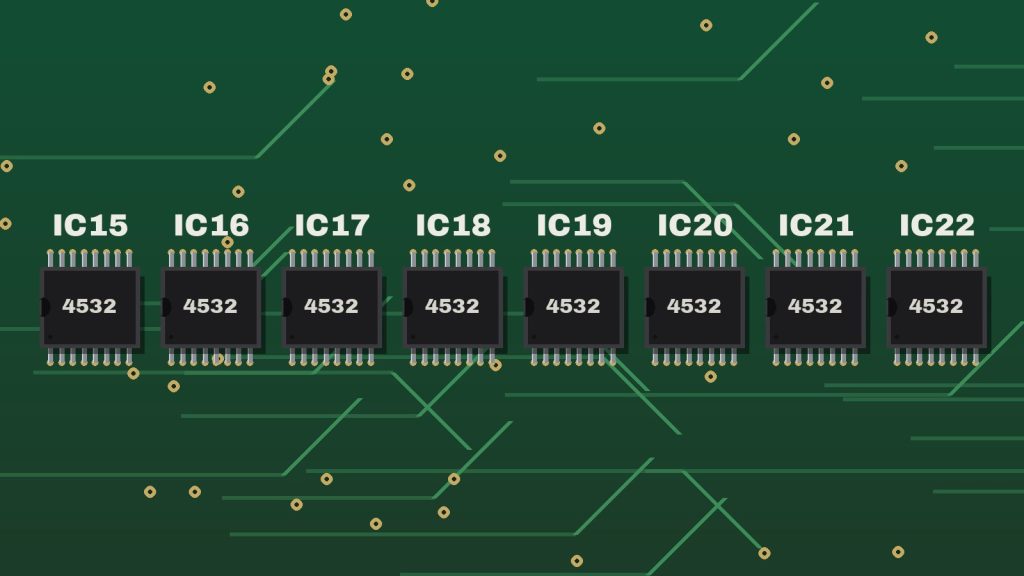
IC15 to IC22 are the upper 32K of RAM, the part that turns a 16K Spectrum into a 48K. They are only fitted to 48K machines, along with the logic chips that drive them: IC23, IC24, IC25 and IC26.
Half-good chips
To keep costs down, Sinclair used 64K chips with a fault in one half, sold cheaply as 32K parts: the Texas Instruments TMS4532 and the OKI MSM3732. A suffix on each chip says which half works: −3 or −4 on the TI chips, L or H on the OKI ones. Links on the board tell the Spectrum which half to use, so all eight chips must be the same make and suffix, and the links must match them.
Setting the links
On Issue 3 and later boards, the links sit between the edge connector and the MIC socket. Fit the TI link plus the 3 or 4 link for TI chips, or the OKI link plus the L or H link for OKI chips. Issue 2 boards have a single link instead, near the ULA, that selects −3 or −4.
Which chip is which bit
| Chip | Data line | Bit |
|---|---|---|
| IC15 | D0 | bit 0 |
| IC16 | D1 | bit 1 |
| IC17 | D2 | bit 2 |
| IC18 | D3 | bit 3 |
| IC19 | D4 | bit 4 |
| IC20 | D5 | bit 5 |
| IC21 | D6 | bit 6 |
| IC22 | D7 | bit 7 |
Signs one has failed
The Spectrum usually still starts, because the screen and system variables live in the lower 16K. Look instead for:
- a 48K machine that reports 16K:
PRINT PEEK 23732+256*PEEK 23733gives 32767 instead of 65535 - 48K games that load part-way and then crash or lock up
- a diagnostic ROM failing its memory test on the upper banks
If all eight bits fail together, the RAM chips are probably fine: look at the logic chips (IC23–IC26), the links, or the Z80’s A15 line. A chip with a stuck bit can also make the matching lower RAM bit look faulty in some tests.
Testing them
A diagnostic ROM such as ZX Diagnostics tests the upper RAM bit by bit and names the failed chips, using the table above. The chips run from +5V alone: check it on pin 9, and ground on pin 16.
Replacing them
Original 4532s are scarce, but the full 64K 4164 is a drop-in replacement, and you can replace one chip or all eight. Any valid link setting works with 4164s, but they must refresh in 128 cycles, because the Z80 only refreshes 128 rows; parts that need 256 refresh cycles will fail. Mixing is allowed with care: 4164s work alongside 4532s, but never mix −3 with −4 chips, or OKI chips with anything else.
See the lower RAM guide for IC6–IC13, or the ZX Spectrum repair guide for the other chips.